Turn listing photos into a vertical video
Make a silent 20-second vertical listing video from five photos already on the ad. No filming: confirm mileage and price, edit captions, download.
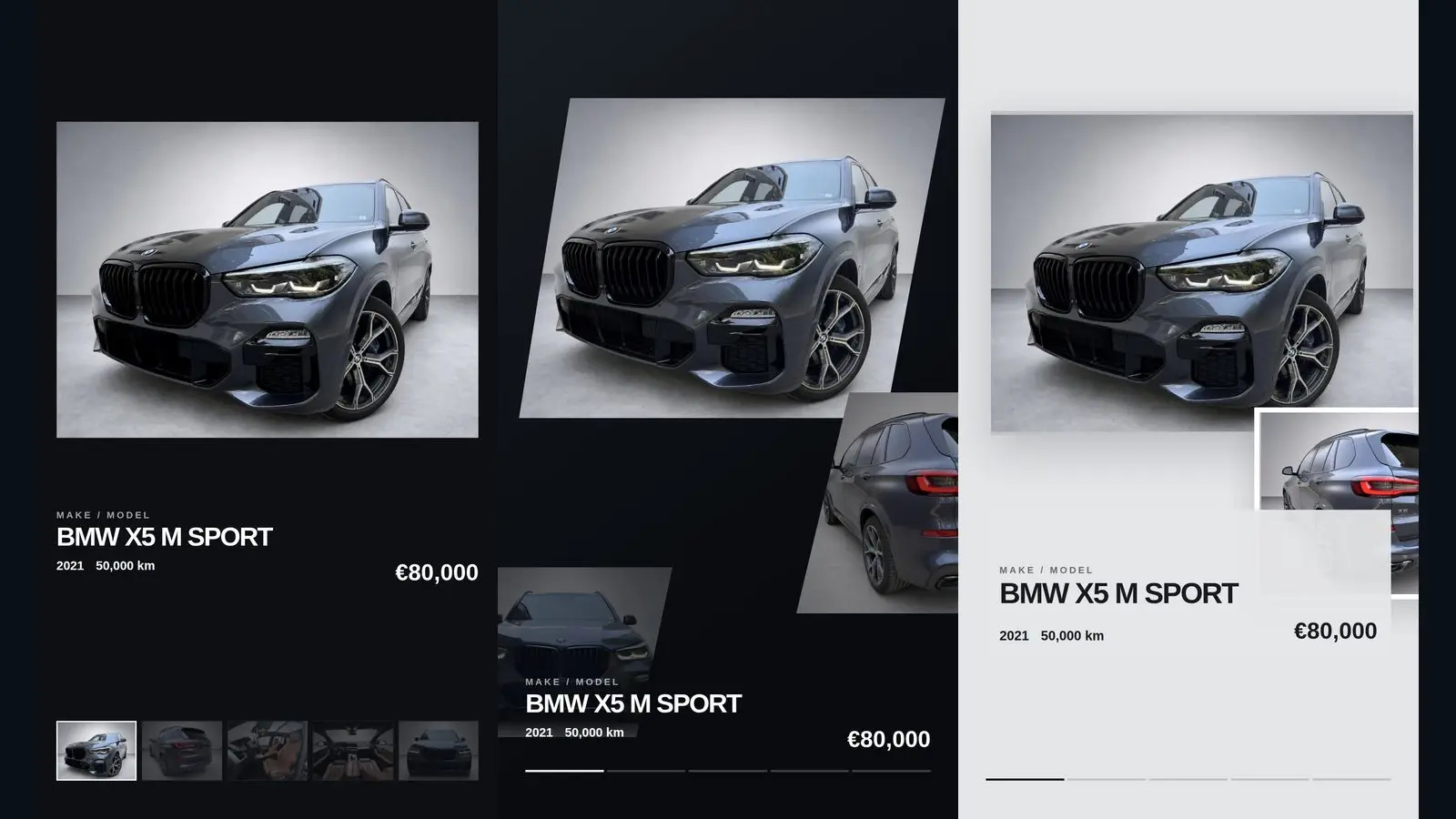
Yes. You can make a silent vertical listing video from photos already on the ad, without filming. Choose five of those photos, confirm the model, year, mileage and price, pick a style, and edit the captions. You get a 20-second 1080×1920 MP4 to download and post wherever the listing site currently allows video.
Most sellers already have the slow part done: a set of listing photos they are willing to show a buyer. What they often do not have is time to film a walkaround or to learn a timeline editor. Many buyers browse on a phone, often with the sound off. A short silent clip uses the photos already on the ad and puts the year, kilometres and price on screen.
This guide follows how AutoDash actually works: upload your photos, choose five, confirm the facts, pick one of ten styles, then read the captions. Pair it with a clear written ad (how to write a used car ad) so the text and the video say the same thing.
Can you make a car listing video from photos without filming?
Yes. Five photos already attached to the listing are enough for a silent vertical clip. You do not shoot new footage, and you do not need a timeline editor or a voiceover.
Filmed video is still the right choice when you want engine sound, a drive, or a full tour of the car. For a listing, the job is smaller: give a scrolling buyer the model, year, kilometres and price without asking them to open every still or turn the sound on.
AutoDash does that from the seller's own photos. It does not invent footage or camera moves the photos do not show. The finished file is a silent MP4, 20 seconds, 1080×1920.
Which listing photos should the reel use?
Use five photos that are already in the listing. The clip is a short highlight of the ad, not a second gallery and not a lesson in how to photograph a car.
Choose frames you already trust on the ad itself:
- Photos that show the car as you are actually selling it
- A photo of the cabin or the mileage display, if the listing already has one
- A photo of a feature, a recent repair, or a mark you already described in the text
- Nothing you would refuse to put on the ad: a blurry frame, a screenshot of someone else's listing, or a picture that shows a personal document
If the ad has more good photos, leave them in the gallery. Five is the number the video uses. Picking a photo that contradicts the written ad — a warning light on the cluster when the text says the dash is clean — is the mistake to avoid. The video should not look like a different car from the one in the description.
How do you turn those photos into the file?
Upload the photos and choose five, then confirm the facts, pick a style and edit the captions. That is the whole path.
1. Upload the photos
Upload up to 20 photos from the listing, by drag and drop or by choosing files, and choose five of them.
Set the sequence those five play in. You are not building a timeline. You are choosing which existing frames appear, and in which order the clip moves through them. A sensible sequence is the one a buyer would recognise from the ad, with the cover photo first.
2. Confirm the facts on screen
Enter or confirm the make and model, the year, the mileage in kilometres or miles, and the price in your own currency. Those figures are what the video shows. Keep them identical to the written ad. If the ad says the price is open to offers, say that when you edit the caption, instead of inventing a round number that the text does not use.
Mileage can be in kilometres or miles, and the price in your own currency. Match the numbers to the ad you are actually publishing.
3. Pick one of ten styles
Choose one look. AutoDash has ten styles. Examples on the site include Prism Grid, Moving Gallery and Parallax Window, and you can compare the first frame before you commit. A private sale only needs a style that stays readable on a phone. A small lot can use the same style on every car so the feed looks consistent. An optional dealer logo can sit on the video.
4. Read the captions, then create
The app writes a short caption for each photo: a kicker and a headline, based on the facts you entered. Read every line. Edit anything that is wrong, vague, or stronger than the written ad. You can turn captions off.
Good caption habits:
- Lead with the year, the model, the kilometres or the price where it helps
- Keep claims checkable, and the same as the description: "65,000 km", "one owner", "new tyres"
- Skip hype you would not put in the ad title
- Remember the video is silent. If the sound is off, the caption is the script
When the lines are right, create the video and download the MP4. One finished video uses one credit. A render that fails is refunded. New accounts get five free videos on signup, with no card. After that, packs are 10, 25, 50 or 100 videos, paid once, with no subscription.
Do you need a voiceover?
No. The video is silent by design, so buyers who watch with the sound off still see the year, kilometres and price.
| Approach | Best when | Watch-outs |
|---|---|---|
| Silent captions | Marketplace scrolling, Reels with the sound off, a quick private sale | Captions must match the ad; there is no engine sound |
| A narrated or filmed ad | You want a spoken pitch, a longer story, or engine and road sound | Viewers with the sound off miss the pitch; it is a different production |
Neither replaces the other. AutoDash does not add music or a voiceover. If a dealer channel needs narration, a filmed walkaround or another tool is the better fit. Many sellers keep the silent clip on the listing and use longer video elsewhere only when they already have it.
Where should you post the finished file?
Put it on the listing first if that site currently accepts a video, then reuse the same file only where the rules allow it. Policies and limits change, so check them before you treat video as a required field.
Places sellers commonly use the same MP4:
- The vehicle ad on Facebook Marketplace, AutoTrader or another classifieds site, if video upload is allowed there today
- Instagram Reels, TikTok or a story, with a short caption that points back to the full ad
- The dealer inventory page, if the site can host the file next to the gallery
- A reply to someone who asks for more before they come to see the car
Do not assume a marketplace accepts video, or assume a maximum length or file size. Open the site's current upload rules and follow those.
FAQ
Can I make a car listing video from photos without filming?
Yes. Choose five photos already on the listing, or upload up to 20 and choose five. Confirm the model, year, mileage and price, pick a style, and edit the captions. AutoDash exports a silent 20-second vertical MP4.
How many photos does the video use?
Five. If the listing has more, leave the rest in the photo gallery. The video is a highlight of photos you already published, not a replacement for them.
Do I need a voiceover for Marketplace or Reels?
No. The clip is silent, and the on-screen captions carry the year, kilometres and price. Check the current rules before you rely on a video upload. A narrated film is a separate job.
What format is the file?
A silent MP4, 20 seconds, vertical 1080×1920. Confirm the listing site's current length and file-type limits before you upload.
Can private sellers use this, or only dealers?
Both. A private seller usually needs one video for one car. A small dealership can use the same style across many cars. Five videos are free on signup, with no card. Further videos are one-time packs of 10, 25, 50 or 100.
Is there a free way to try before paying?
Yes. Signup includes five video credits and does not ask for a card. Each finished video uses one credit. A failed render is refunded. You buy a pack only when you need more videos.
If the written ad is still rough, finish that first with the used car ad writing guide, then make the video from the same facts and the same photos. When you are ready, create your first five videos for free.